
Screen by screen, in the order you use it.
You open the app and see what is next. You train, log your sets and, when you finish, say how it went. This is every step, as it looks on the phone.
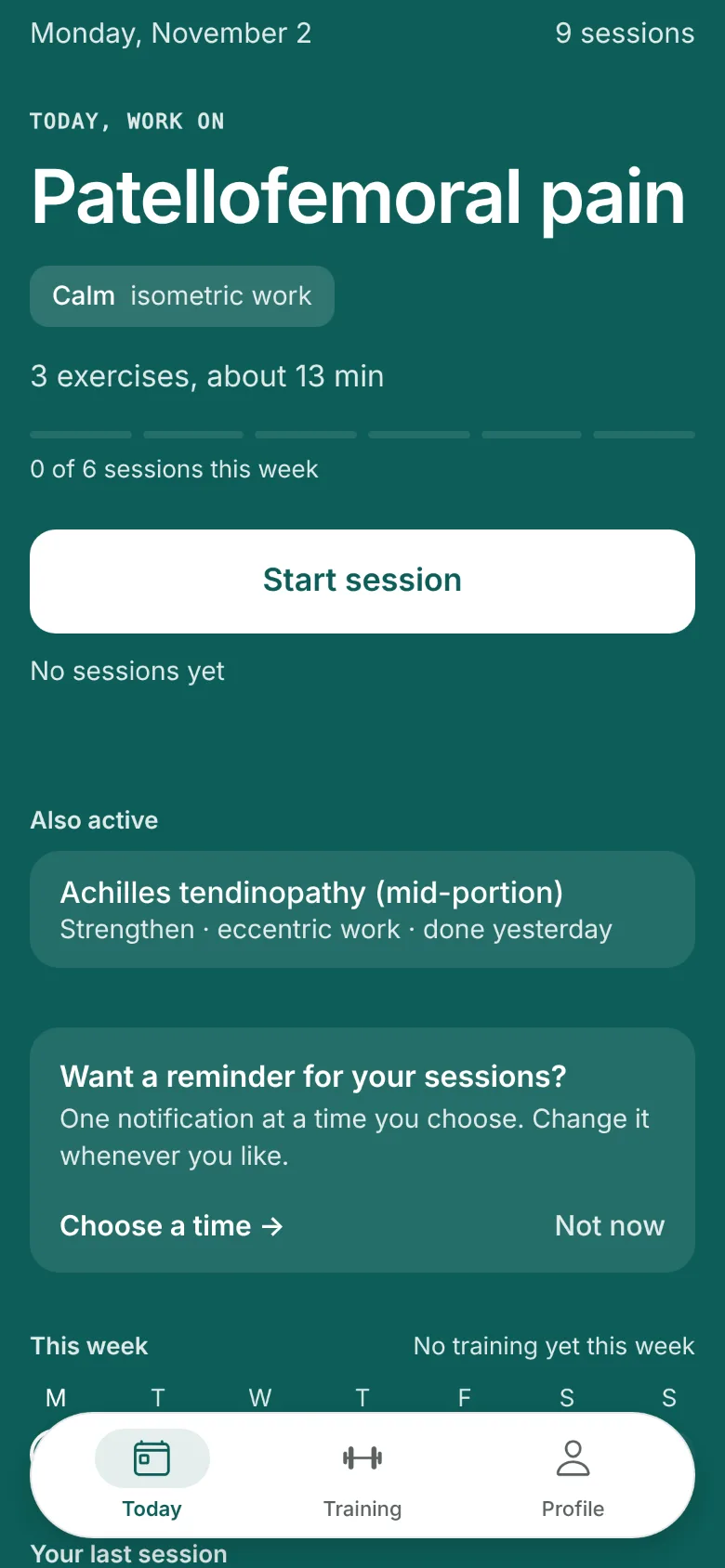
Today tells you what is next.
Open the app and you see the plan you work on today, its phase and how long the session takes. One button to start, and nothing to decide first.
- Your other active plans below, with how long since their last session.
- If you like, it reminds you of your sessions at a time you choose.
- Below, the week as dots and your last session.
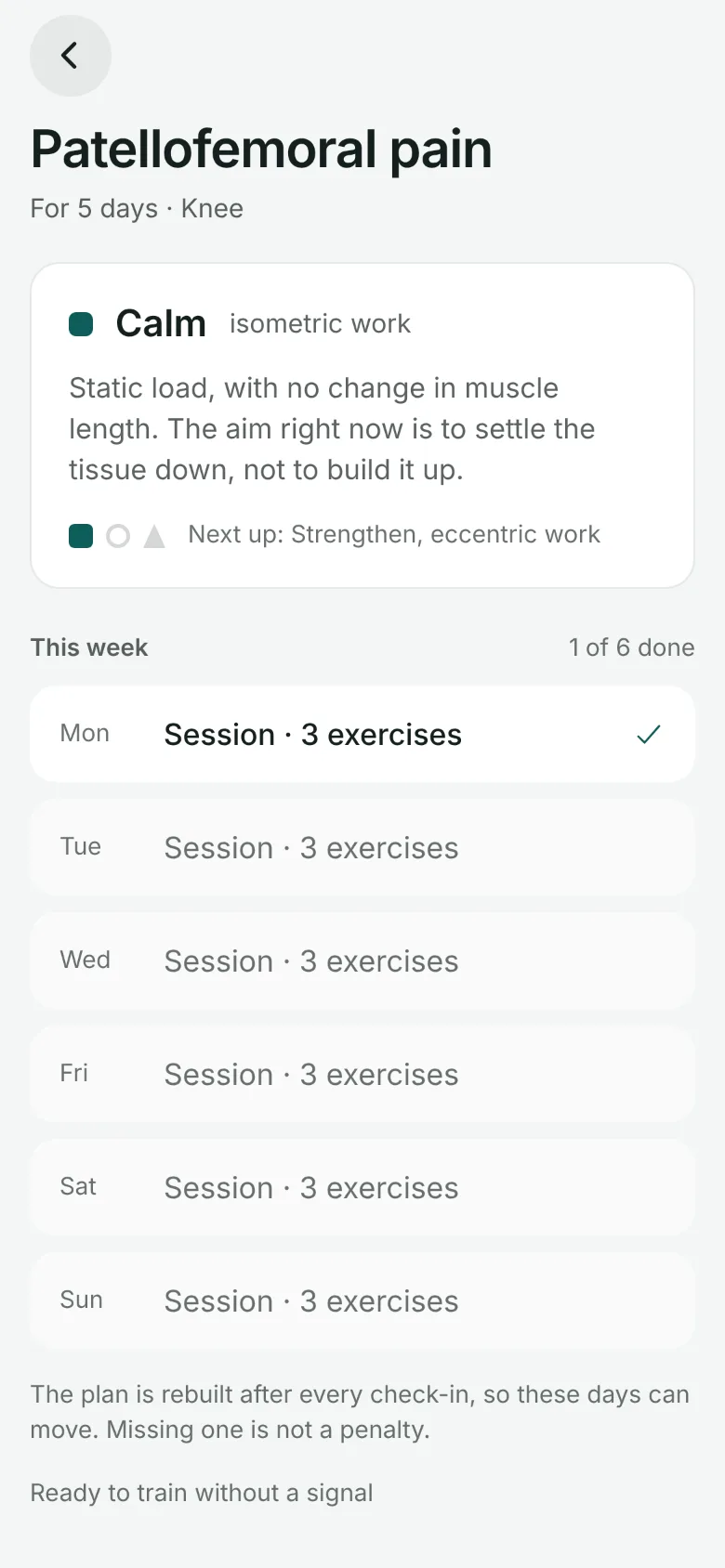
The plan, phase by phase.
The phase you are in, what it works on and which comes next, and the sessions left this week.
- Each phase states its aim in one sentence.
- The plan is rebuilt after every check-in, so the days can move.
- Skipping a session is not a penalty.
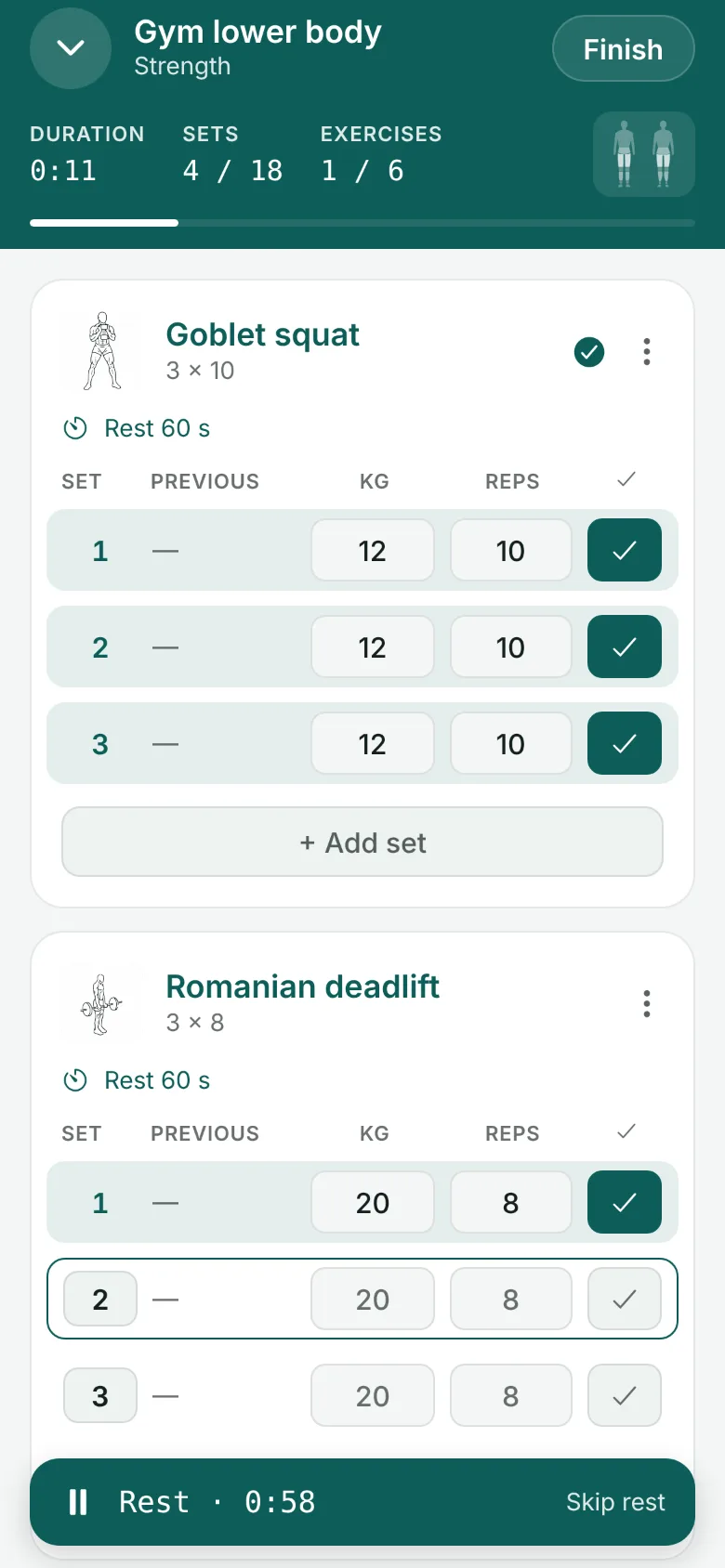


A table, not a conveyor belt.
Every exercise and every set in view, and any of them can be changed at any moment. Nothing drags you on to the next one.
- One tap logs a set, with the numbers already filled in.
- The “Previous” column brings what you did last time.
- The rest starts on its own and runs in a bar; skip it whenever you like.
- Every exercise carries its drawing; one tap opens its page.
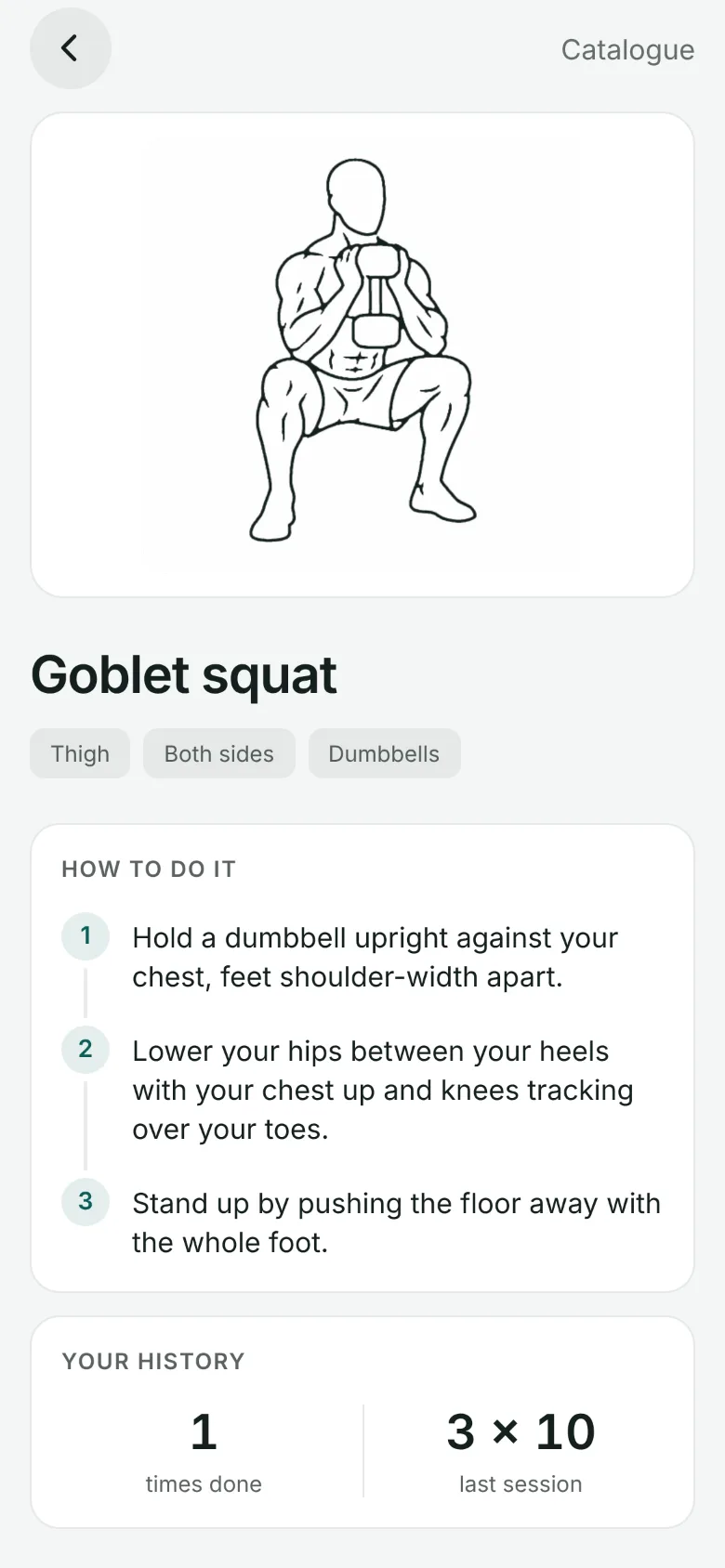
How it is done, without leaving the session.
From the table you open any exercise: a looping drawing of the movement, the steps written out and your history with it.
- Your history with it: how many times you have done it and what you did last.
- If something on the page looks wrong, you can report it from the same screen.
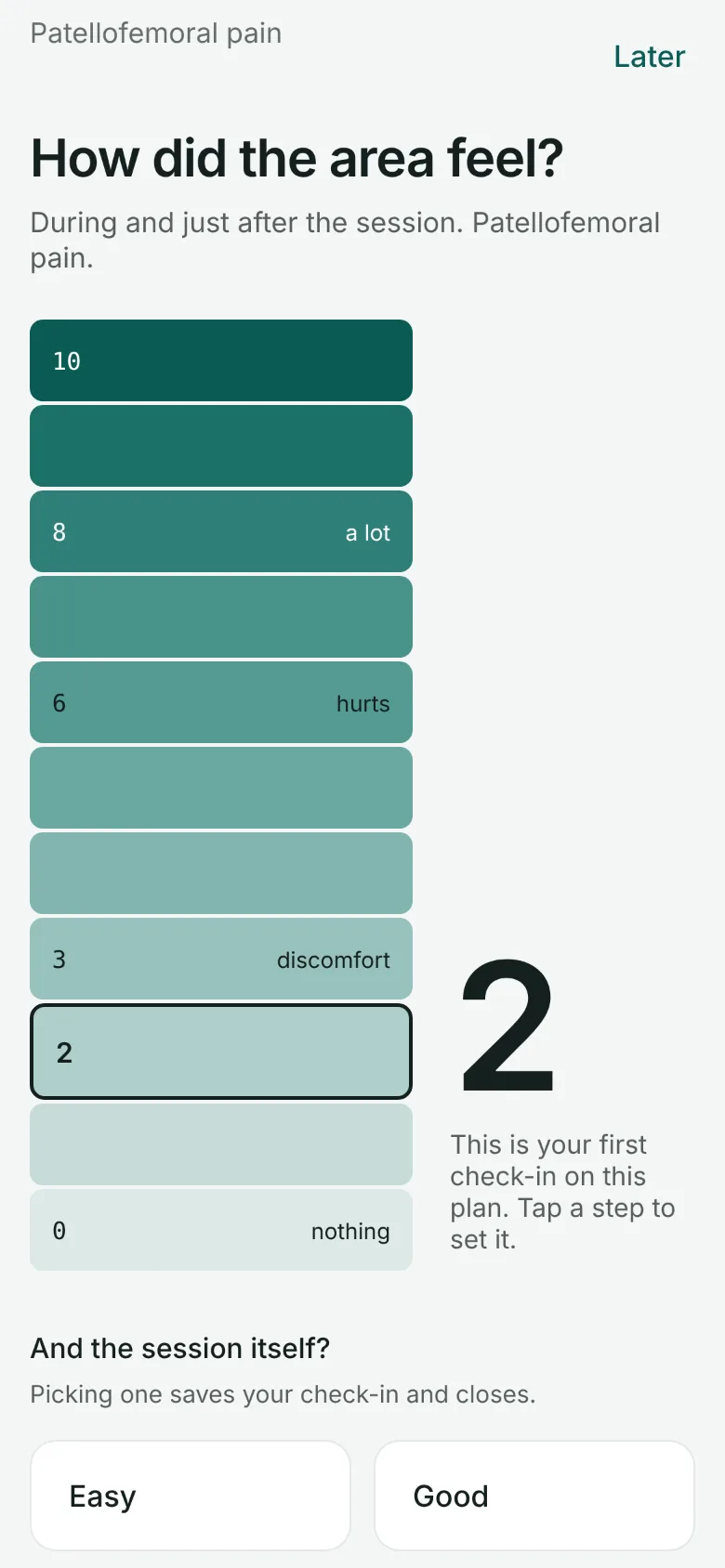
Two taps when you finish.
How did the area feel during the session and just after? A 0 to 10 scale, in one colour and with no verdict. Then, how the session felt.
- The scale opens at your last check-in’s value.
- Choosing the difficulty saves it: there is no confirm button.
- Not now? “Later”, and it asks again.
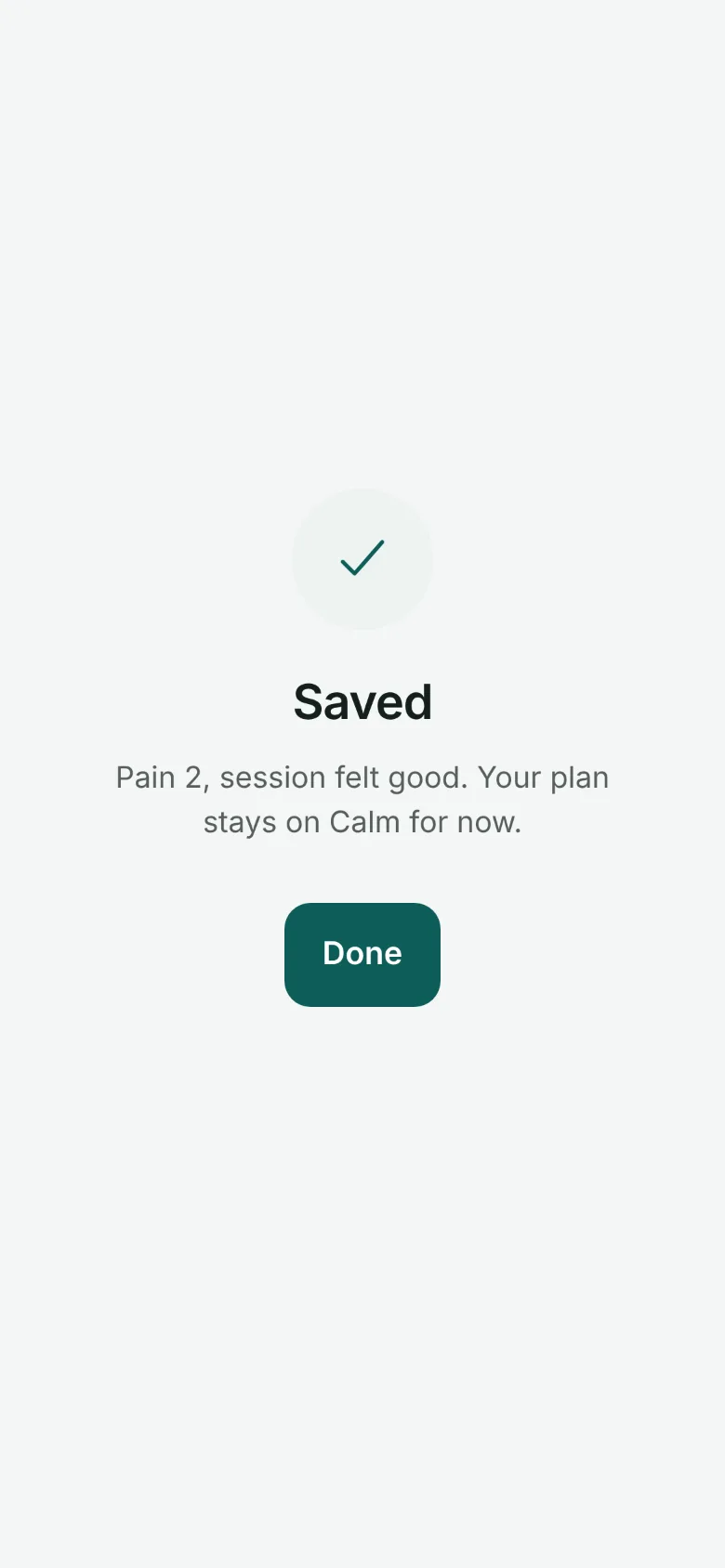
What you said, and what changes.
The app repeats what it saved and which phase your plan stays in. In a recovery plan, your check-ins are what hold it, move it up or send it back to the previous phase.
- One sentence, with no scores and no alarm colours.
- If what you report does not fit with training, it tells you to see a professional.
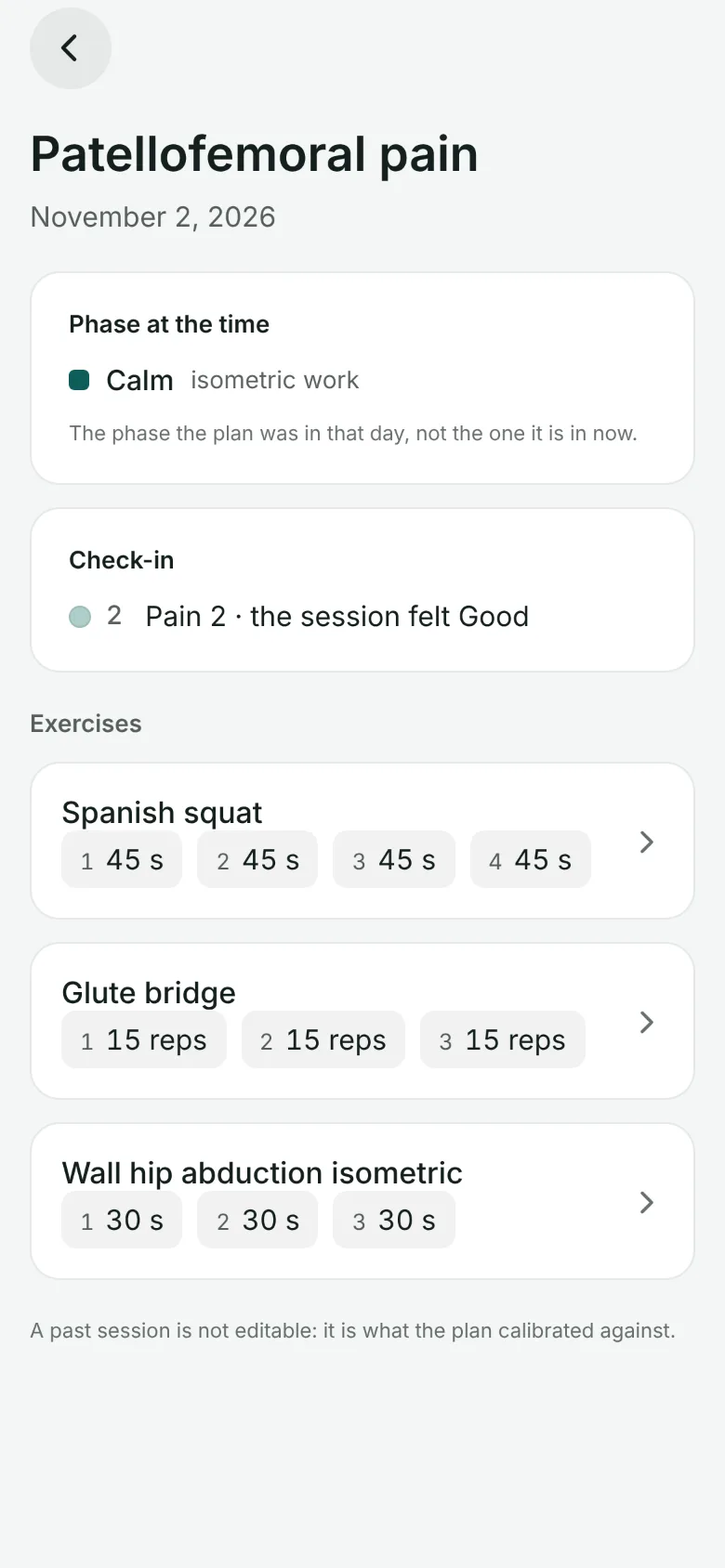
Every session, as it was.
The history keeps every session with the phase the plan was in that day, your check-in and every set you did.
- That day’s phase, not today’s.
- Every exercise opens its page.
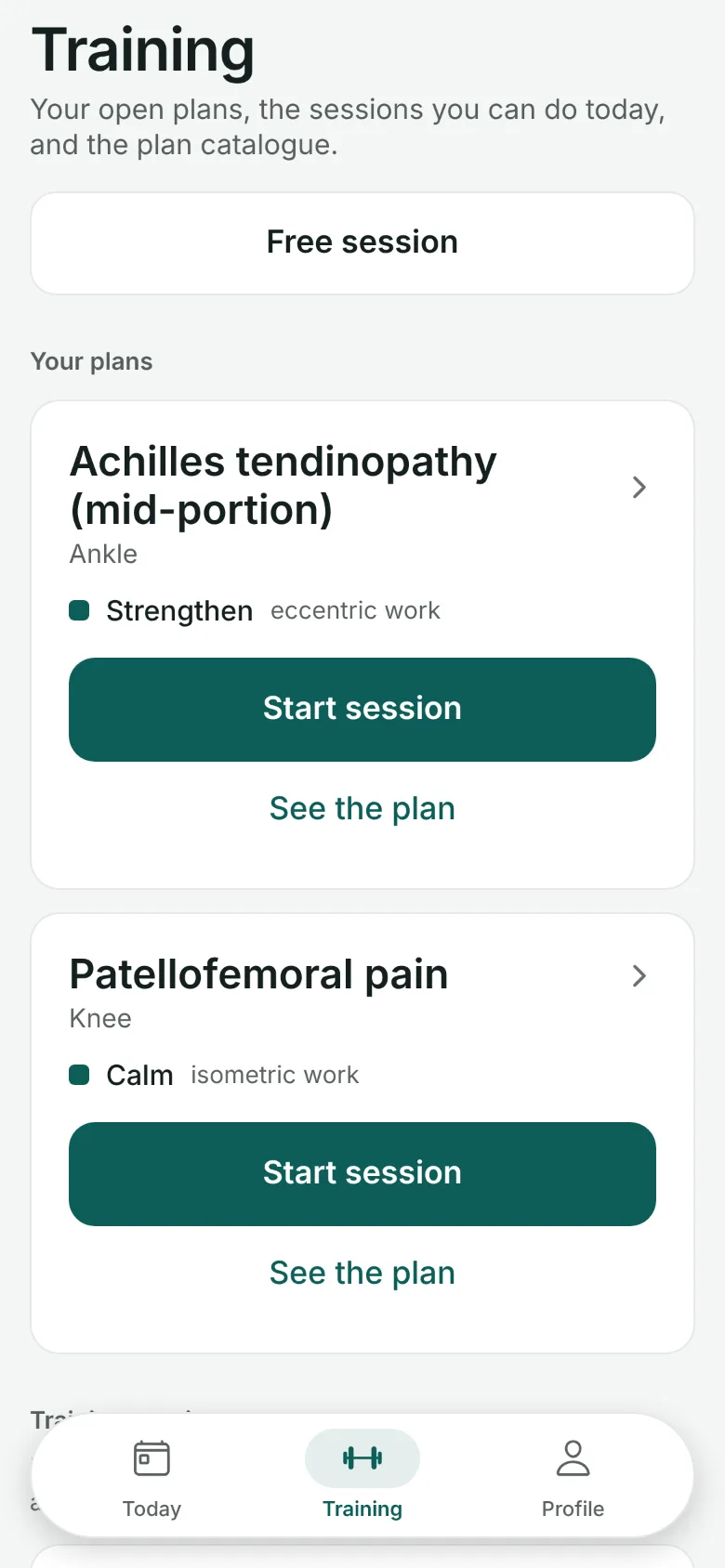
Plans and one-off sessions.
Train gathers your plans in progress and, separately, one-off prevention, strength or mobility sessions, with no injury to declare.
- A free session you fill yourself from the catalogue.
- One-off sessions have no check-in: there is no plan to adjust.
Screenshots of the app with a demo account: a patellofemoral pain plan and a strength session from the catalogue. The drawings move as they do in the app. The recovery-plan exercises have no drawing yet.
Drawings from Workout Guide by Bryl Lim, licensed CC BY-SA 4.0, modified by Spadework. Credits and changes
Spadework is a training and prevention tool. It is not a medical device and it does not diagnose, treat, cure or prevent any medical condition. If something does not fit, it will tell you to see a professional instead of trying to replace one.
The waitlist is open.
We write to you about Spadework: updates, the launch and benefits for the list. No tracking, your email goes to nobody else, and every email has an unsubscribe link.